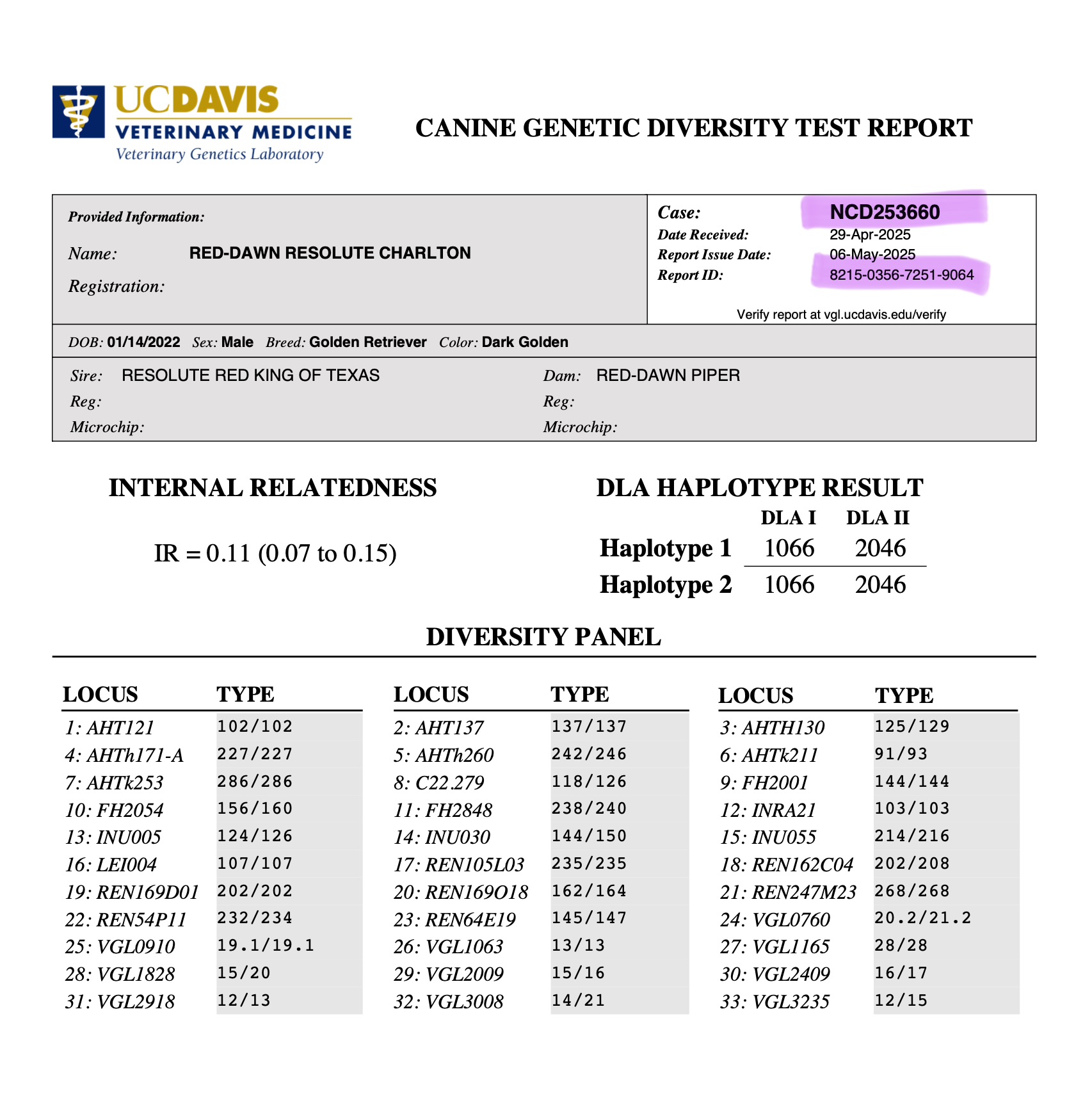
How to verify a dog really has the UC Davis VGL Genetic Diversity Analysis
Step 1
Set up a log in for VGL at this link: https://my.vgl.ucdavis.edu/myvgl/newacct.htm
Step 2
Once logged in at VGL, go to “My Account” and choose “Verify VGL Report”
Step 3
Enter in a dog’s “VGL Case #” and their “Report ID”. These are highlighted in purple for visual demonstration
Step 4
See the full report on VGL for that dog
💜 all dogs tested are able to be verified on VGL since all tests are for public knowledge
💜 In today’s world of AI and fraud, this is the best way to verify a dog’s VGL test results.